How-to guide
How to create your first Augmented Reality book?
Keep the book as it is. Readers hold a phone over a page and the pictures come to life.


What it is
A book with a second voice
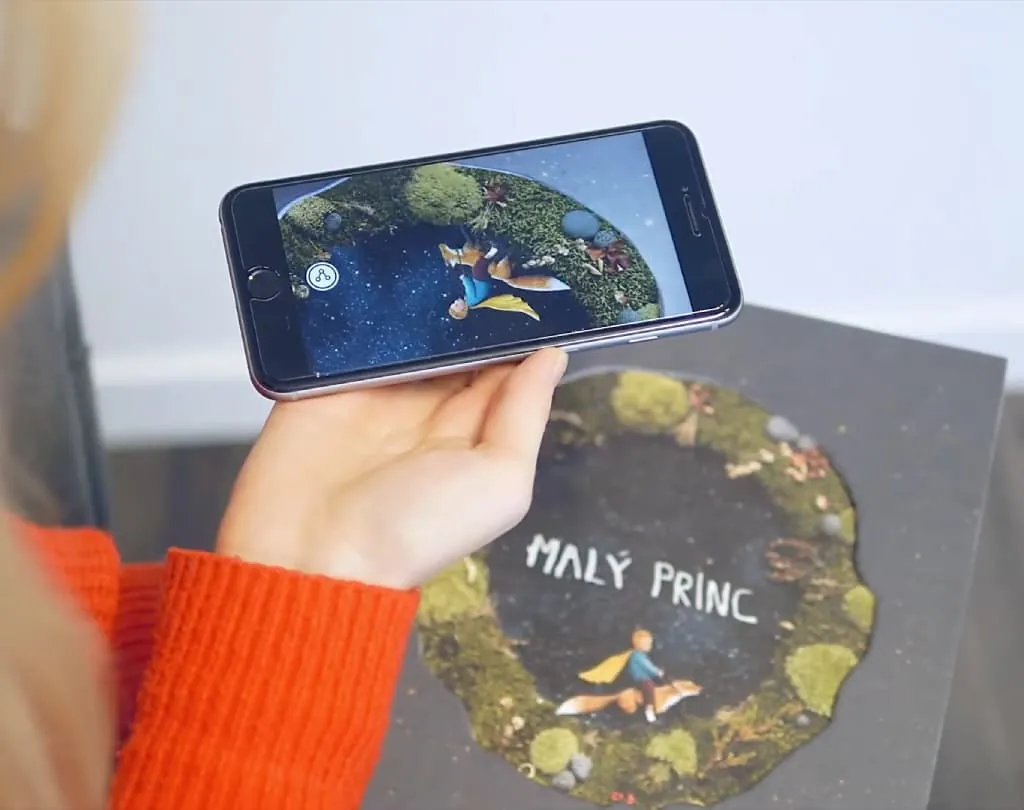
An AR book is a printed book with a digital layer on some of its pages. Readers point a phone at a picture and it comes to life with animation, a voice or music.
The text does not change. The book still reads like a book, and the phone adds what paper cannot: motion, sound, a 3D model to turn around.
It works for picture books, novels, catalogues, textbooks, magazines and artist books. Authors, illustrators, teachers and publishers use it.
You need no technical background. Bridge’s templates and elements help you start, and your own files fit right in.
Why it works
Why books gain a layer
Readers take part
Characters come to life, places open up, the reader joins the story instead of only turning pages.
Hard things get clear
A 3D model of the human body or a historical scene that plays explains what a paragraph struggles to.
The book stands out
An AR book is something people show each other. It helps authors and publishers promote a title and reach new readers.
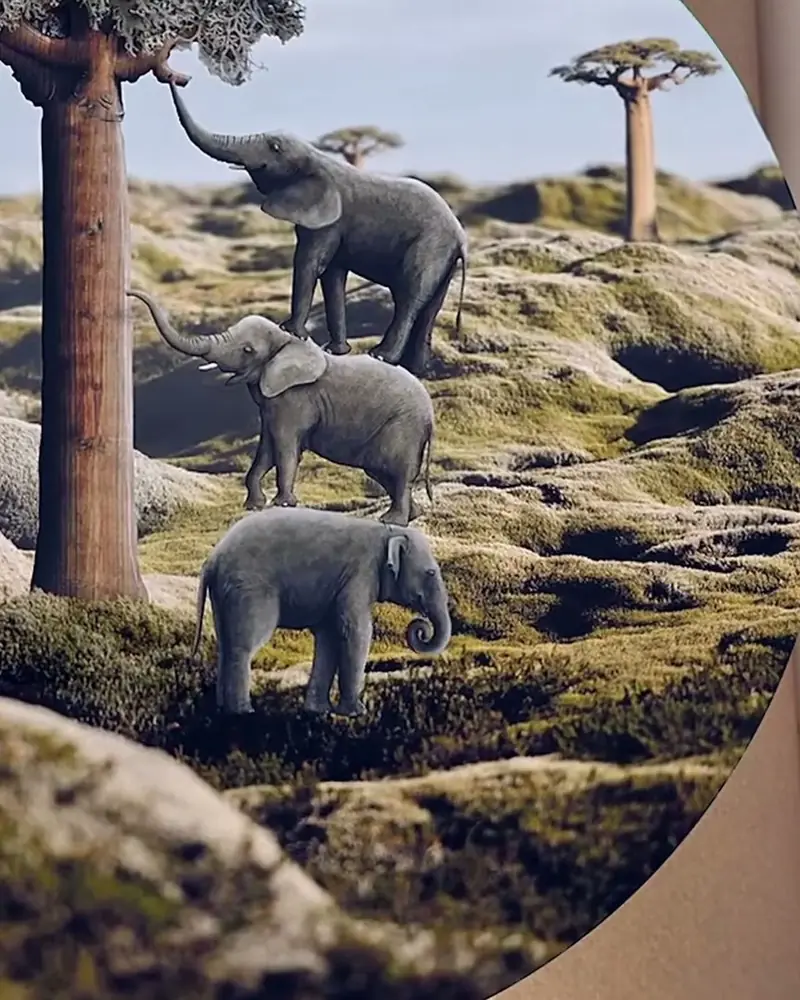 The Little Prince: an illustrated book in AREvery illustration has an AR layer: the fox, the rose and the small planet come to life.Eliška Podzimková, illustratorWatch on Stories
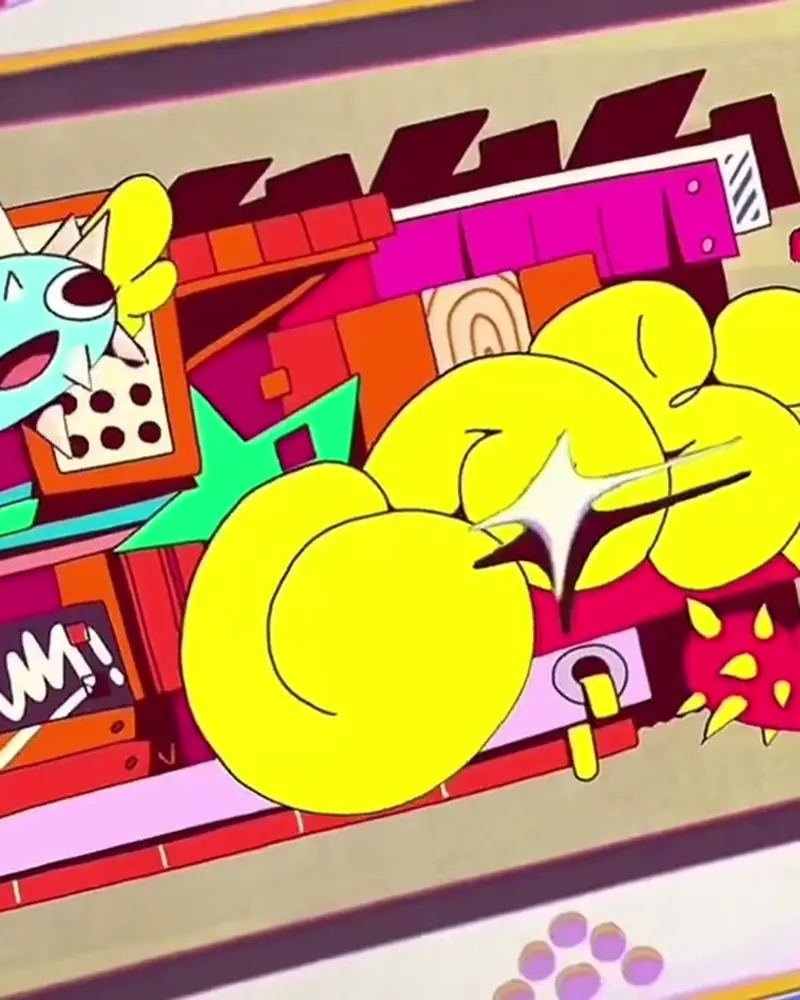 Paper Console: a book that playsPrinted pages that turn into animated scenes with characters and sound.Tamy Hadeed (Uh!Caribe), artistWatch on Stories
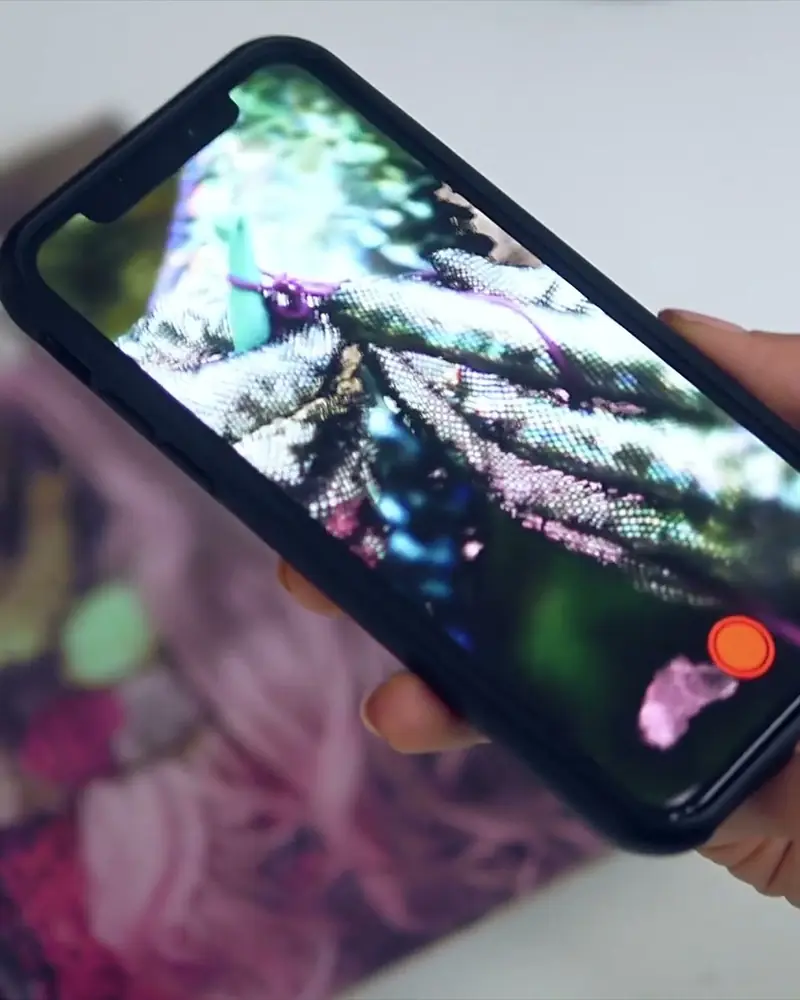 TOTAL WASTE: an AR artist bookCollage pages that open into animated sequences. The book stays a book.Yaron Maïm, BerlinWatch on Stories
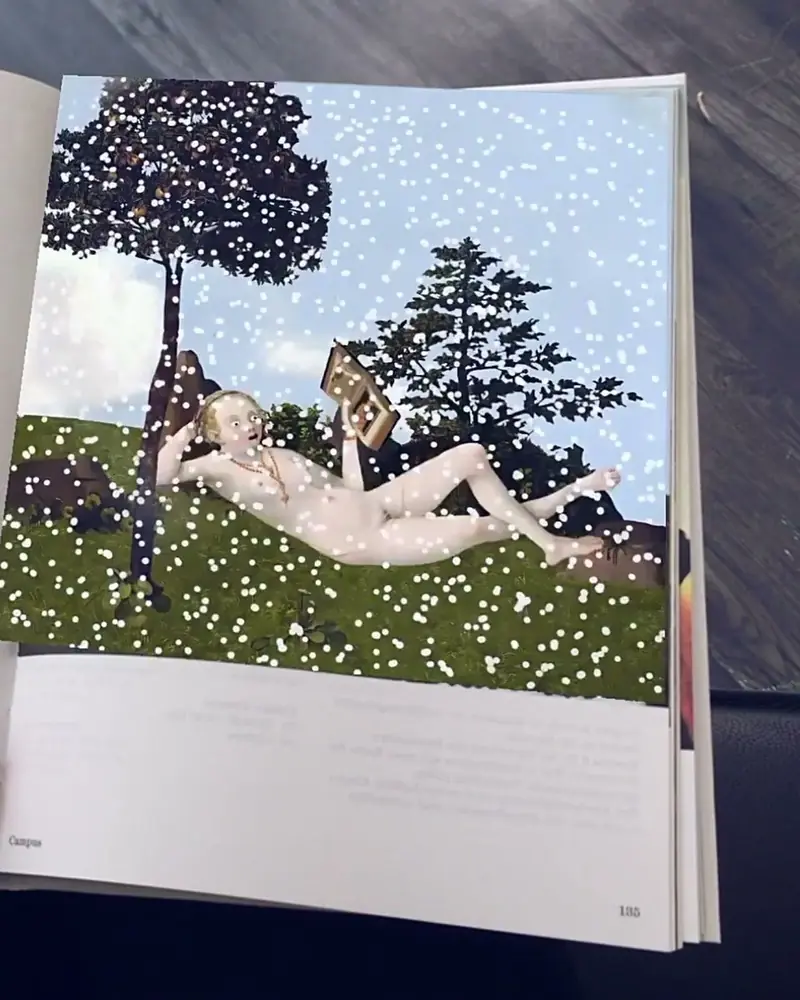 A season programme that comes to lifeEvery illustration in the printed season preview has an AR layer.Scorpion Dagger for the Bayerische StaatsoperWatch on Stories
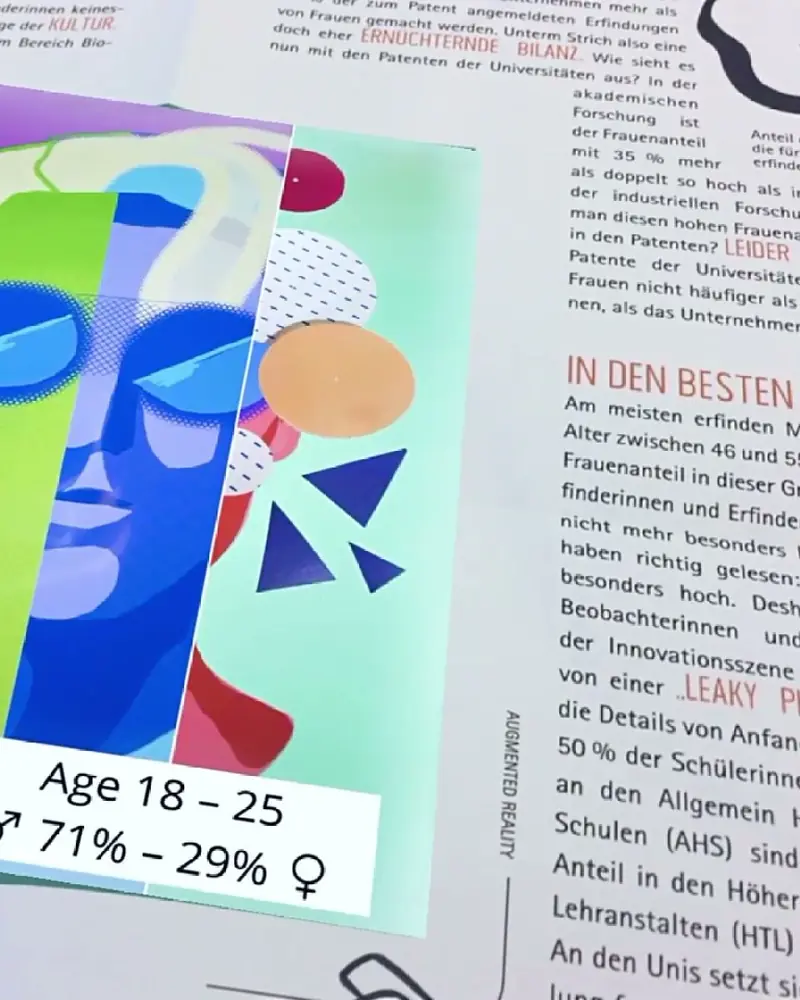 An annual report that comes to lifePlain pages of statistics, until a phone shows what the artist did with the numbers.Litto for the Austrian Patent OfficeWatch on Stories
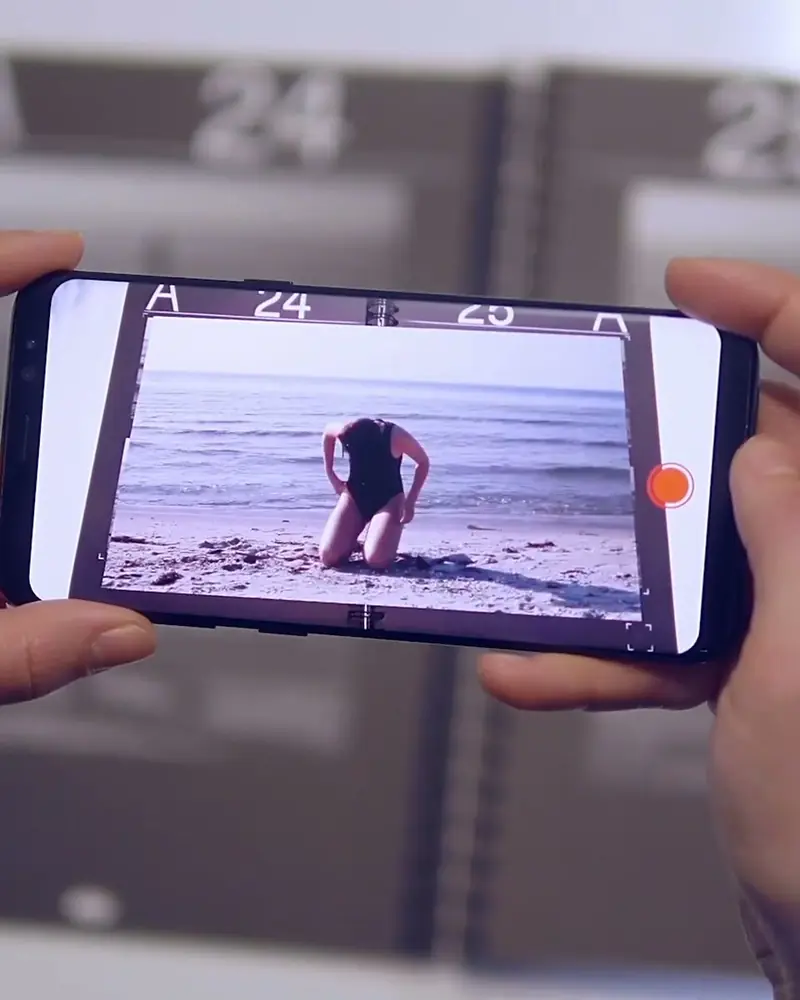 PORT: a university magazine in ARArticles marked with a number open into animation when a reader scans the spread.Students of Bauhaus-Universität WeimarWatch on Stories
Ideas to try
Books worth a second voice
An illustrated classic
Give each illustration its animation, as Eliška Podzimková did for every drawing in The Little Prince.
An artist book
Collage and typography that open into sequences of their own, like TOTAL WASTE from Berlin.
A textbook
A 3D molecule, a planet or an organ that students can look at from every side.
A catalogue or programme
A season programme or an exhibition catalogue that people keep, as the Bayerische Staatsoper’s did.
An annual report
Plain pages of numbers with a surprise inside: the Austrian Patent Office asked the artist Litto.
A magazine
Articles marked with a number that open into animation, as in the PORT magazine of Bauhaus-Universität Weimar.
What you need
Before you start
A short checklist. Everything else happens in Bridge.
- The page images Each AR page as a .jpg or .png, exactly as printed, the longer side between 380 and 8000 pixels. Optimise recognition.
- What plays on top Animation or video (.mp4, .mov or .gif) up to 100 MB, sound, images or 3D models (glTF or GLB). File types.
- A plan that fits Basic is free with 50 views to try it out. For a book with readers, Pro has 1,000 views a month and Pro Plus 5,000. See the plans.
- A note for readers One page that explains how to scan, and a small icon next to each picture. Publication templates.
How to make it
Make yours in five steps
All in Bridge, the Artivive editor, in your browser. No code.
Pick the pages
Choose the illustrations, photos or the cover that would gain most from motion or sound. Start with a few.
Upload each page
In Bridge, click Create Artwork and upload the page as the trigger image. One artwork per page.
Add your layers
Add a video, an animation, a voice or music, a 3D model or particle effects. Templates and elements help you start.
Test the printed proof
Scan a printed proof with the Artivive app. Check every page in normal reading light.
Publish and print
Publish, mark the AR pages with a small icon and tell readers how to scan them.
New to Bridge? Your first AR artwork, step by step, or the free course.
Tips
Small things that make it work
Mark the AR pages
A small icon next to each picture tells readers what to scan. Our publication templates are free.
Give each page its own look
Pages that look alike confuse the camera. Detailed, high-contrast pictures scan best.
Explain it once
Put a short how-to on the first pages: get the free app, or scan a QR code for WebAR.
Questions
Questions and answers
What can I add to an AR book?
Animation, video, sound and music, voice, 3D models, particle effects and text. With Timeline and Sequences on Pro Plus, scenes can change when the reader interacts. Features.
Can I add AR to a book that is already printed?
Yes. Upload a scan or a sharp photo of each page as the trigger image and add your layers. The printed copies work from the moment you publish.
How do readers see the AR?
With the free Artivive app on a phone or tablet. With WebAR, they scan a QR code and the pages open in the browser. On Pro Plus one QR code holds up to 10 artworks. How WebAR works.
Where can I find inspiration?
In Bridge’s templates and elements, on Artivive Stories, and in our artist interviews.
I can’t animate. Can I still make an AR book?
Yes. Start from Bridge’s templates, elements and effect layers. If you want an animator, we can make it for you.
Can I change the AR after the book is out?
Yes. Edit and publish again in Bridge. The pages stay the same, and readers see the new version the next time they scan.