How-to guide
How to stand out on social media with Augmented Reality
Film the moment your artwork comes to life. That is the clip people stop scrolling for.


What it is
The reveal is the post
On social media, the AR itself is the content. A still painting that comes to life on a phone is a short, surprising clip.
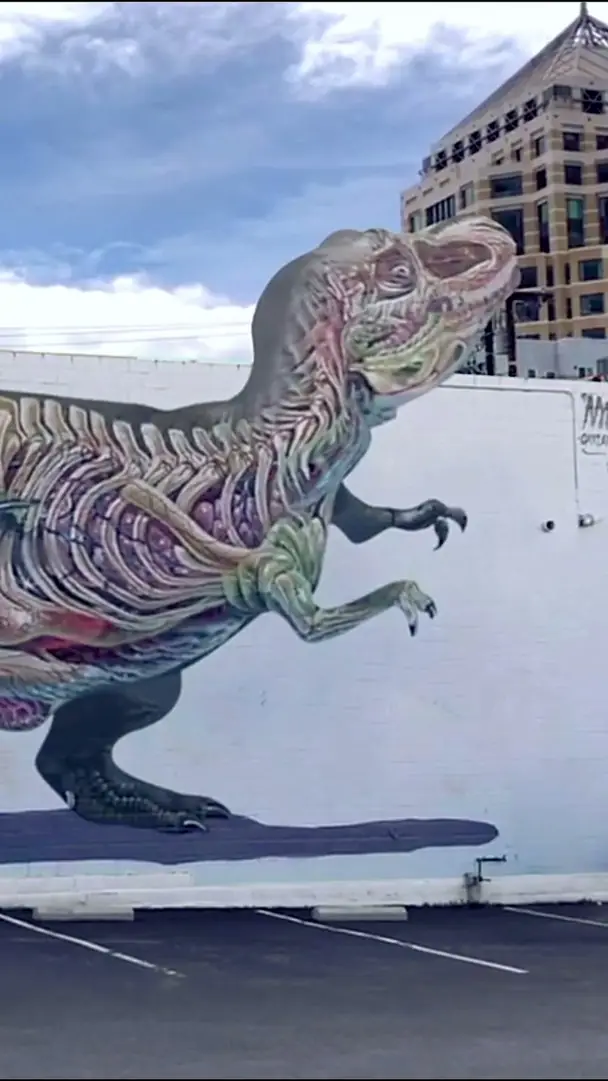
When Nychos’ T-Rex mural in Oakland came to life on Instagram, the clip drew over 300,000 views and 70,000 likes.
It works for artists, illustrators, brands and creators. Make the artwork once, then post the reveal, the making of and your followers’ scans.
Why it works
Why the reveal gets shared
It surprises
A still picture that comes to life is short, visual and unexpected: what feeds reward.
It invites a reply
Followers can try it themselves through your WebAR link, and they can film and share their own scan.
It shows your work
The clip shows the artwork and its second layer in seconds, for artists, brands and creators alike.
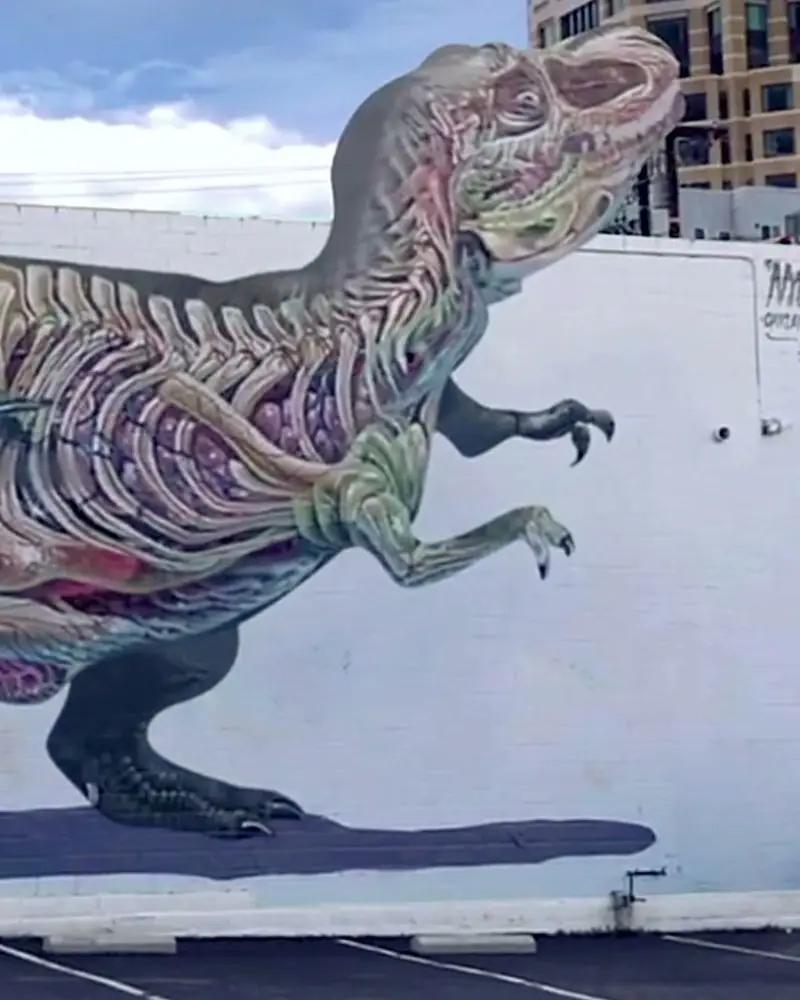 A T-Rex that comes out of the wallThrough the phone, the painted skeleton steps out of the wall at the viewer.Nychos, artistWatch on Stories
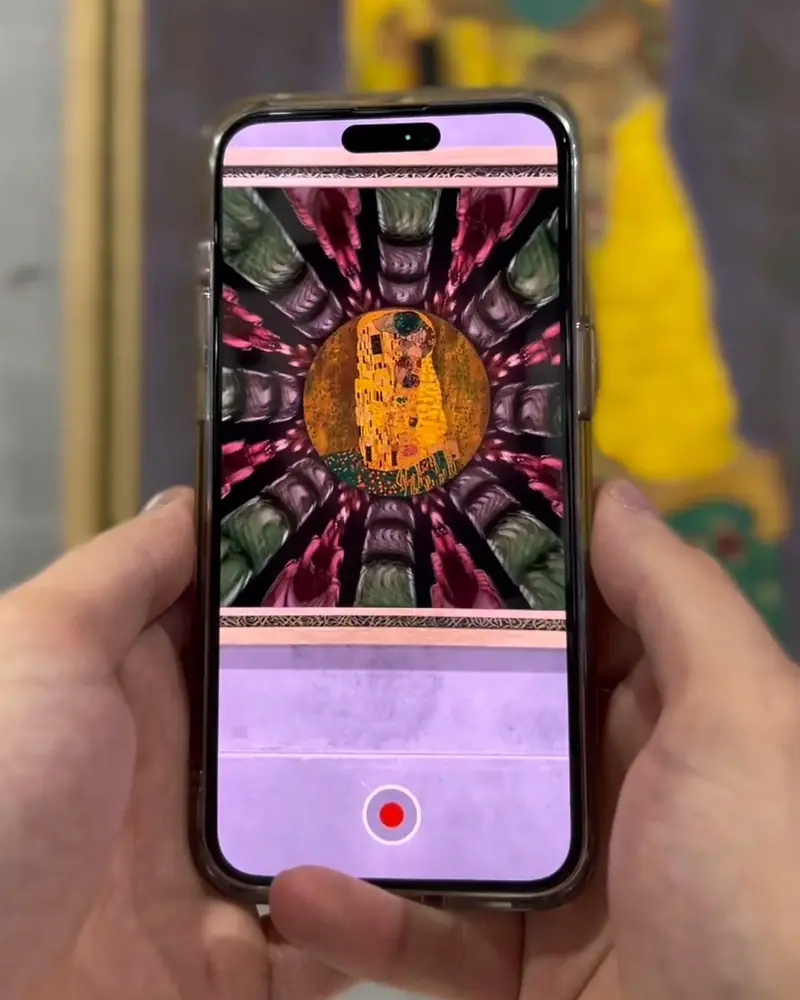 Klimt’s Kiss, reworked by an artistA Valentine’s week post: the couple’s embrace carries an Arabic love phrase.mzijart, artistWatch on Stories
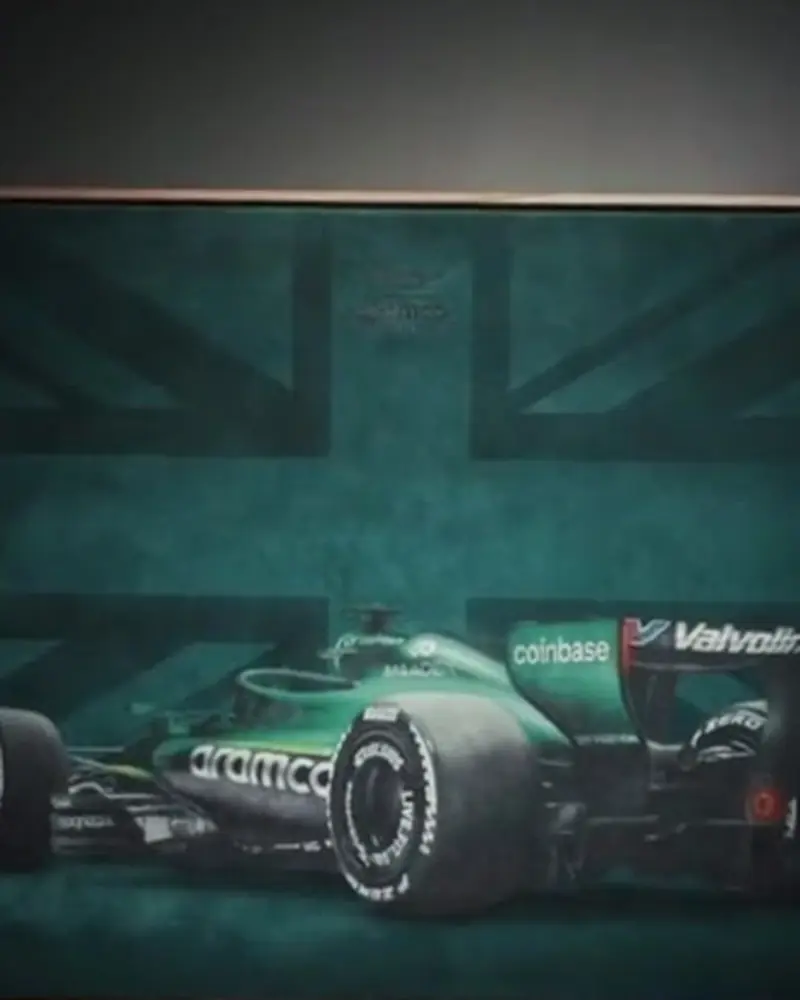 Aston Martin F1 velvet collection: the teaserA vertical teaser for social: brush on fabric, then the AR reveal where the car comes to life.Hayden Bone Studio for the Aston Martin Aramco Formula One TeamWatch on Stories
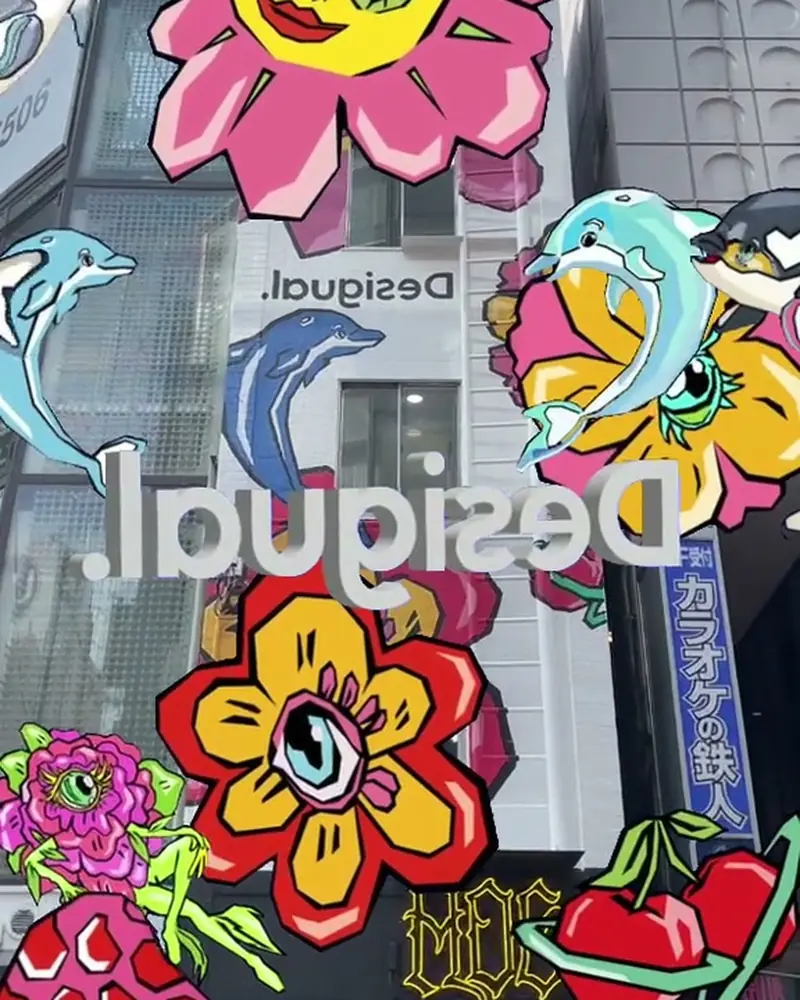 Desigual: a store facade that comes to lifeFlowers open across the wall and dolphins swim past the shop windows.DesigualWatch on Stories
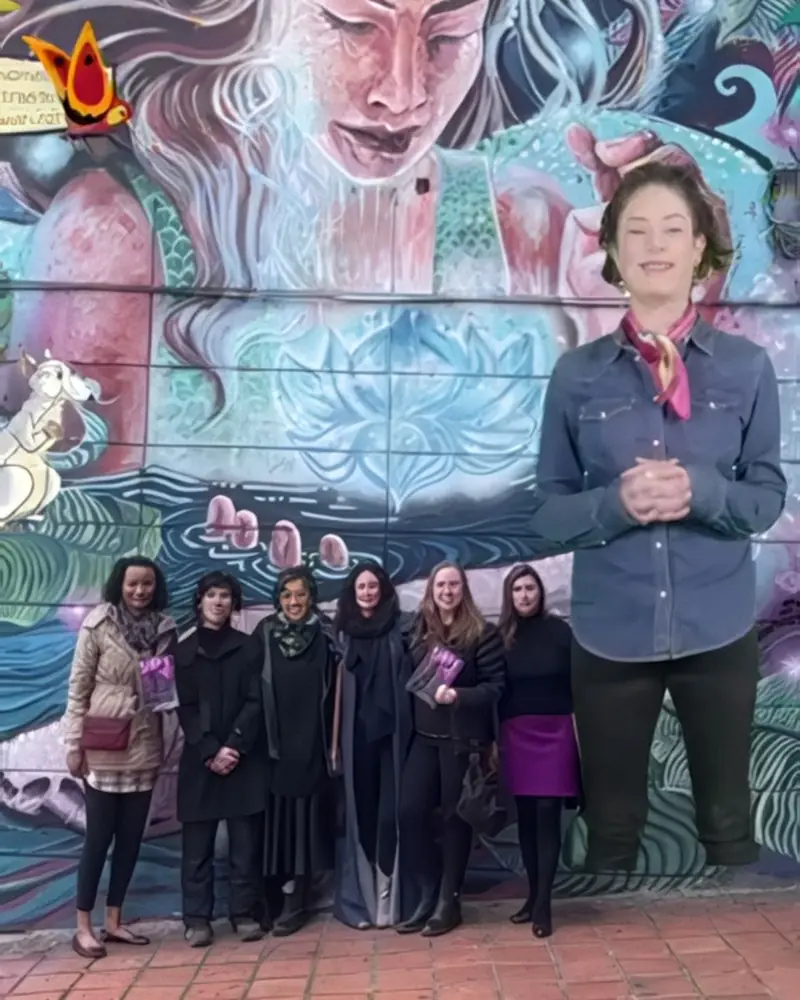 Kaia: an AR mural in BogotáThe painted portrait tells Natalia Ponce de León’s story on the street where she is depicted.Estraditado, Melanconnie and Faebian CeruleoWatch on Stories
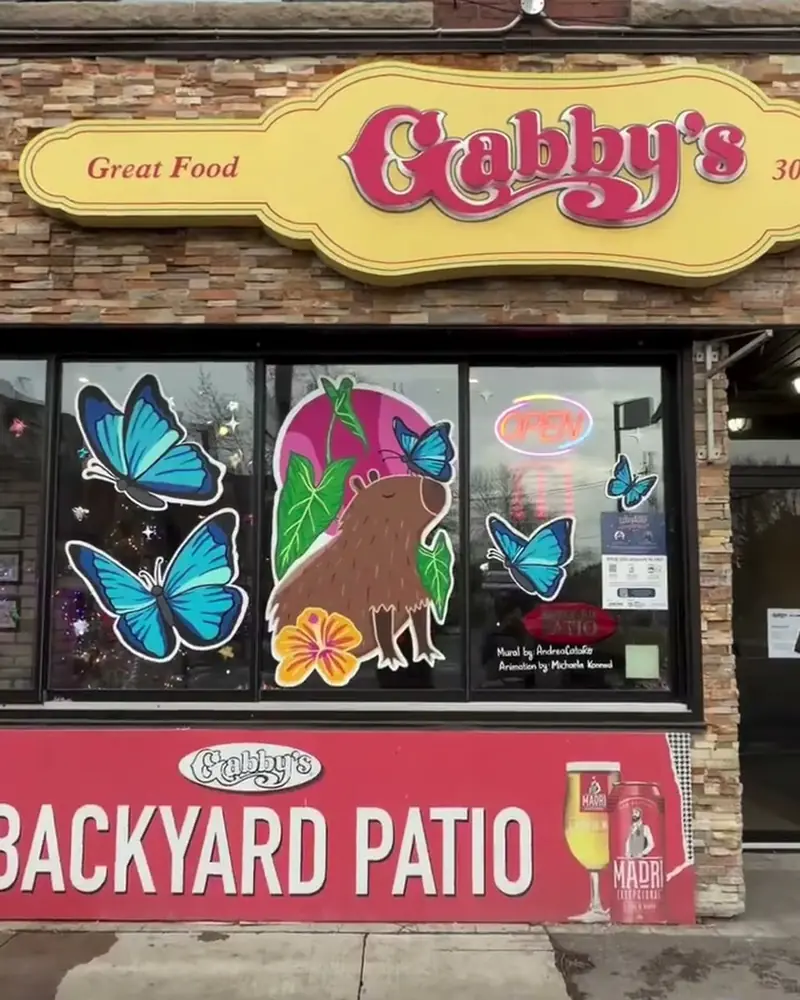 Window Wonderland: 20 storefronts, 11 muralsA free winter gallery in Toronto’s Junction. Every window and wall opens with the visitor’s own phone.Simon Bunyi, Amy Bricolage and more artists, The Junction, TorontoWatch on Stories
Ideas to try
Posts to try
The before and after
One second of the still artwork, then the moment it comes to life. The simplest reel there is.
A reply to a classic
Take a public domain masterpiece and give it your twist, as mzijart did with Klimt’s Kiss.
A product teaser
A vertical teaser that ends with the AR link, as Hayden Bone Studio made for the Aston Martin F1 velvet collection.
Your followers’ scans
Put the work in a public place and repost the clips people make of it. Shoppers stop to film Desigual’s store facade and post it.
A walk through a route
Several pieces, one walk, one video, like the creator walks through Window Wonderland in Toronto.
What you need
Before you start
A short checklist. Everything else happens in Bridge.
- An artwork to scan A print, mural, product or design as .jpg or .png, with detail and contrast. Optimise recognition.
- The AR layer Animation or video (.mp4, .mov or .gif) up to 100 MB, sound, 3D or effects. File types.
- A phone to film Scan with the Artivive app and record the screen, or film someone scanning, vertically.
- A link to share Publish as WebAR for a link and a QR code. Pro Plus and up show it without a watermark. See the plans.
How to make it
Make yours in four steps
All in Bridge, the Artivive editor, in your browser. No code.
Make the artwork
A print, a mural, a product or a design you made in Canva. This is what people will scan.
Add the AR in Bridge
Click Create Artwork, upload the image, then add animation, video, sound or 3D.
Film the reveal
Scan it with the Artivive app and record the screen, or film someone scanning it. Shoot vertical.
Post it with a link
Publish as WebAR and add the link or QR code to your post or bio, so followers can try it.
New to Bridge? Your first AR artwork, step by step, or the free course.
Tips
Small things that make it work
Show the before
Start on the still artwork for a second. The moment it comes to life is what people watch twice.
Keep it short
A clip of 10 to 30 seconds suits Reels, TikTok and Shorts. Put the reveal in the first seconds.
Let people try it
If the artwork is in a public place or on a product, say where. Scanning it in person is the next step.
Questions
Questions and answers
Which platforms does it work on?
Any platform that shows images or video. You post the film of the AR, and the WebAR link wherever links are allowed.
How do followers see the AR themselves?
They scan the artwork with the free Artivive app, or open your WebAR link and point their phone at the artwork.
What can I add to the AR?
Animation, video, sound, 3D models, particle effects and text. With Timeline and Sequences on Pro Plus, the AR can change when the viewer interacts. Features.
Can I start from a Canva design?
Yes. Design in Canva, add the AR in Artivive and publish. Watch the Canva walkthrough on Stories.
Where can I find inspiration?
On Artivive Stories, on our Instagram, and in our artist interviews.
Can I see how many people scanned it?
Yes. Pro Plus and the business plans include statistics. See the plans.