





Artivive for education

Bring your classroom into the future

Students turn their own posters and drawings into augmented reality, no code needed. Pro for a class: 699 USD a year for 10 Pro licences.

Illustration: a dark graphite phone held well in front of an open school book with a sculpted volcano; on the screen the volcano erupts and a 3D globe comes out of the phone

Creating with Artivive

Why Artivive

One tool. Two kinds of impact.

Easy to add to any course, built to change how students create. Get going with our free course.

For educators

Fits the course you already teach

  • Easy to integrateWorks with your curriculum and tools, with minimal setup.
  • InterdisciplinaryArt, design, science, humanities. If it can be printed, it can be augmented.
  • Scales with youFrom one seminar to a whole faculty, on one plan.
For students

A skill for what comes next

  • Hands-on with ARStudents build real AR experiences of their own.
  • Stronger storytellingMixing print and digital sharpens creative thinking.
  • Higher engagementSeeing their own work come to life keeps a class looking closer.

Student work

From flat page to living artwork

What students make

Anything printed can carry an AR layer: a poster, a mural, a sketchbook page, a book. It fits art and design, and just as well science and the humanities.

At UT El Paso, this poster class showed its work in two campus galleries. Read how the class worked

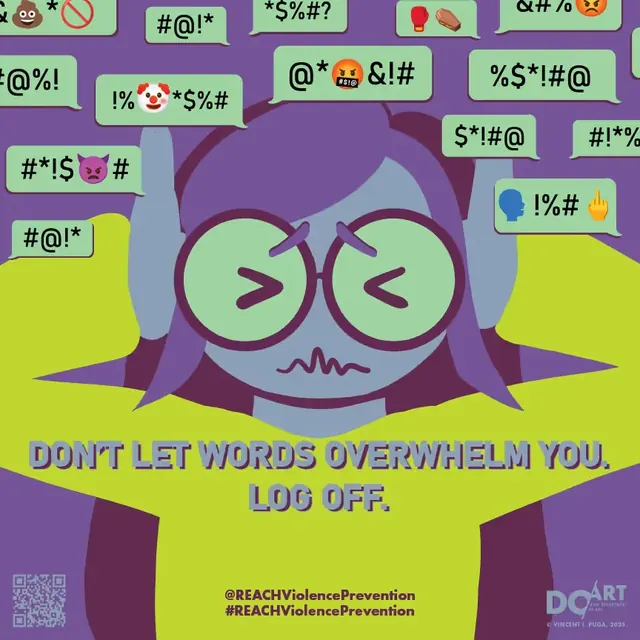
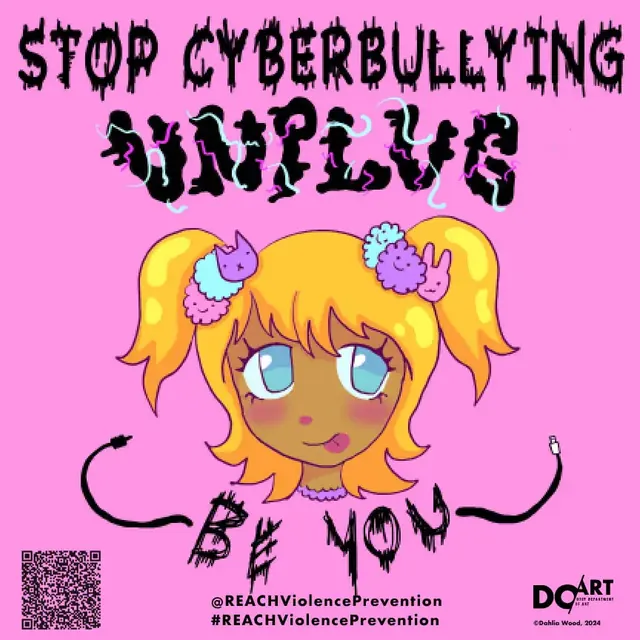
Poster by Dahlia Wood: a cartoon girl with the words Stop cyberbullying, unplug, be you
Poster by Dahlia WoodGraphic design students of Anne M. Giangiulio, UT El Paso, against cyberbullying.
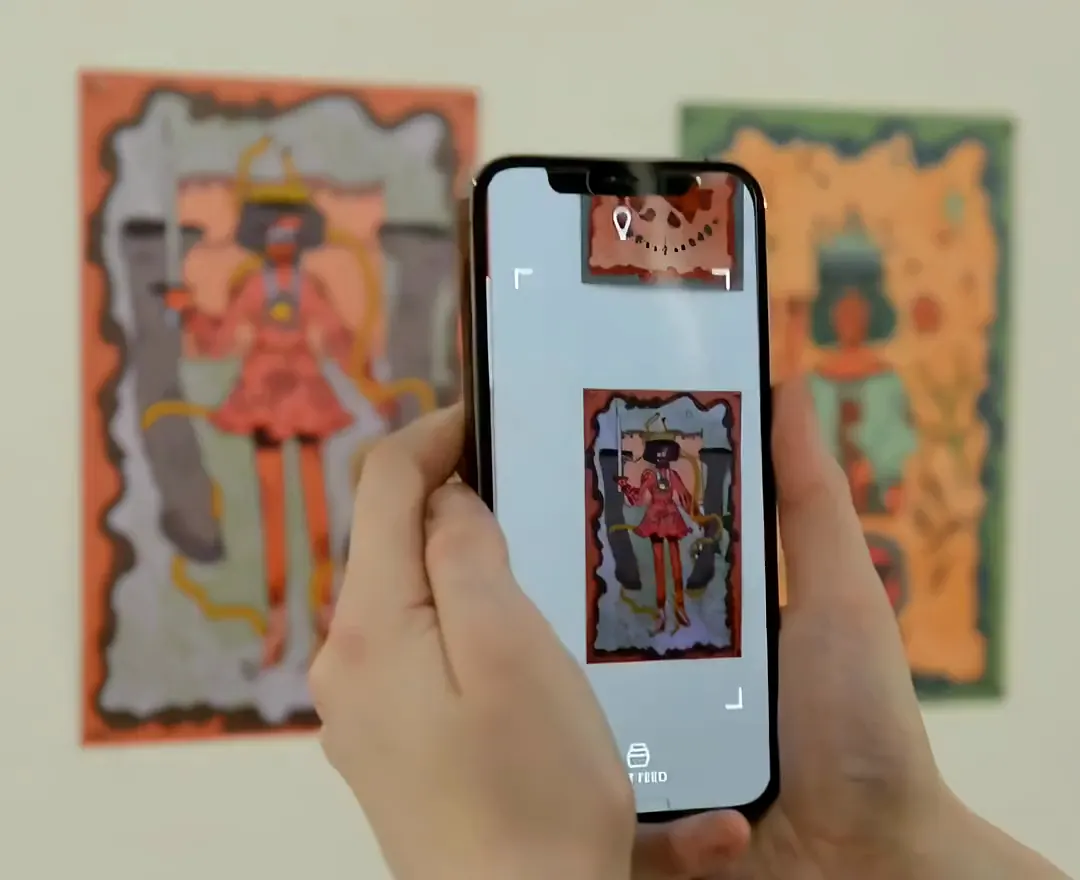
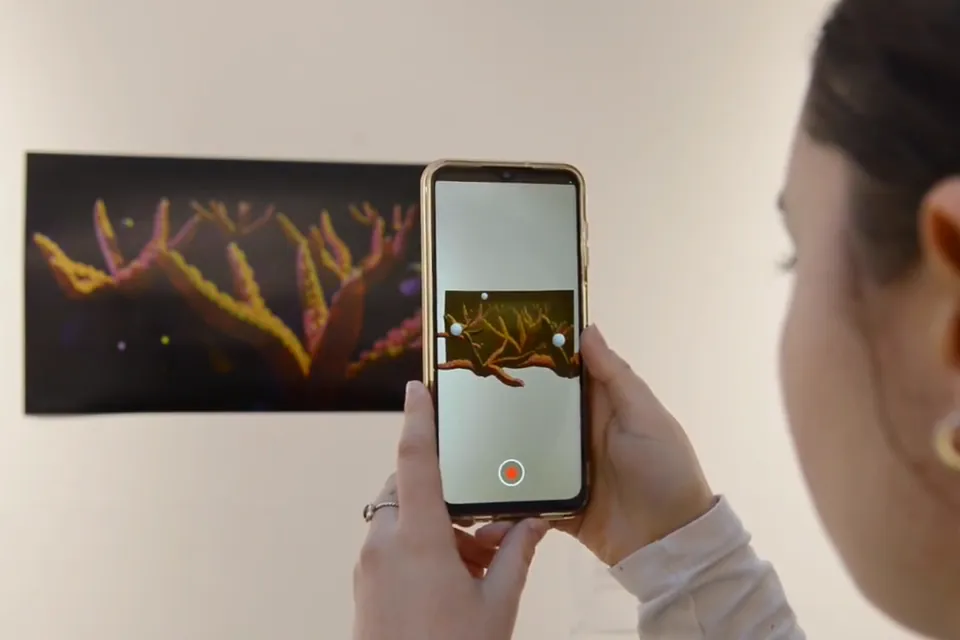
  • A student holds a phone over a hand-painted tarot card in a gallery; on the screen the card plays its animation

    Hands-on AR

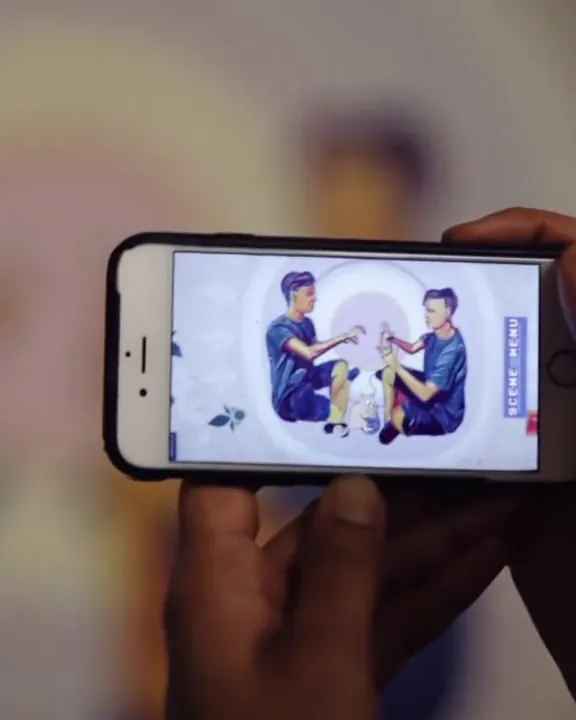
    Students scan their own work and watch it come to life.

    Student work at n[ar]ratives, University of the Arts London

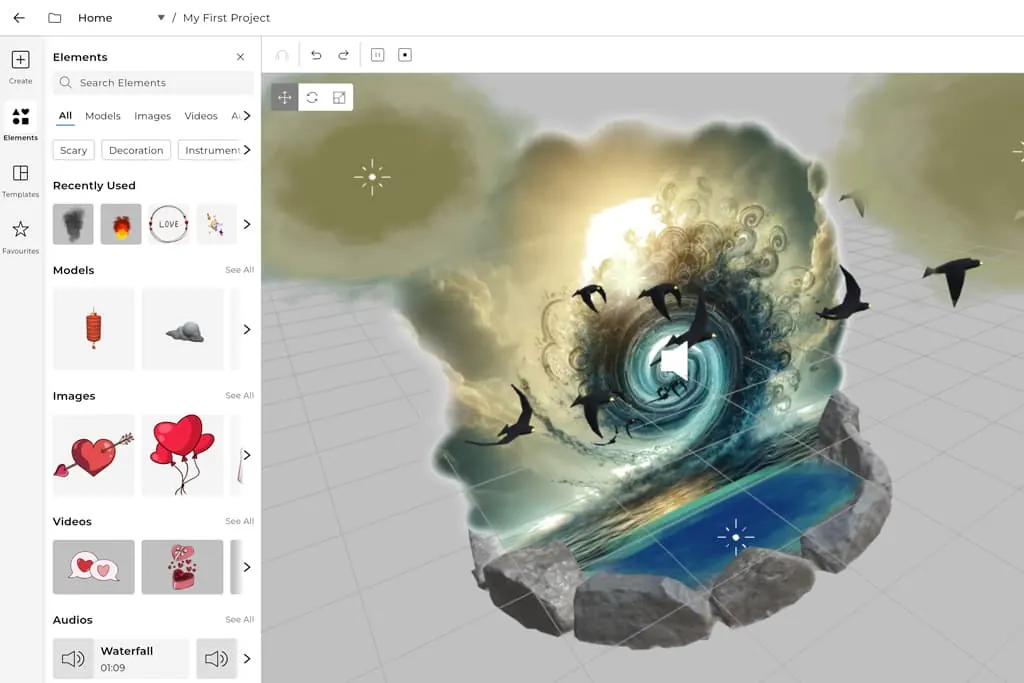
  • The Bridge editor: a 3D scene of a wave and birds rising from an image, with the elements library on the left

    No-code editor

    Drag-and-drop image, video and 3D layers in Bridge. No developers needed.

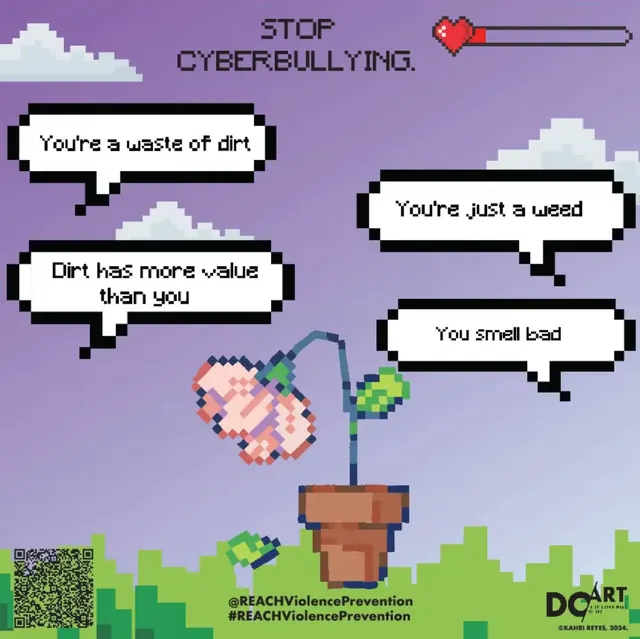
  • Poster by Kahri Reyes: a pixel-art flower in a pot surrounded by hurtful chat bubbles

    Deeper storytelling

    Print and digital, combined into stories people remember.

    Kahri Reyes, UT El Paso

Educational bundle

The educational package your class needs

Every student gets their own Pro account, for a fraction of the standard 139.90 USD a year each.

  • 1,000 views a month per student
  • Unlimited artworks per seat
  • Image, video and 3D layers, 3 MB per artwork
  • Timeline and Sequences included
  • Activated with a code: no card, no payment details

Sized to your class: 6.90 USD per seat a month, from 10 seats for at least 6 months.

699 USD / year

10 Pro licences for 12 months, instant access. Our best price.

Buy now

Need a custom solution? Get a quote

In the classroom

Universities already building with AR

Student and faculty projects, each with its film on Artivive Stories.

Workshops

Storytelling with augmented reality

In one session, students and educators learn the tool and build their own AR project.

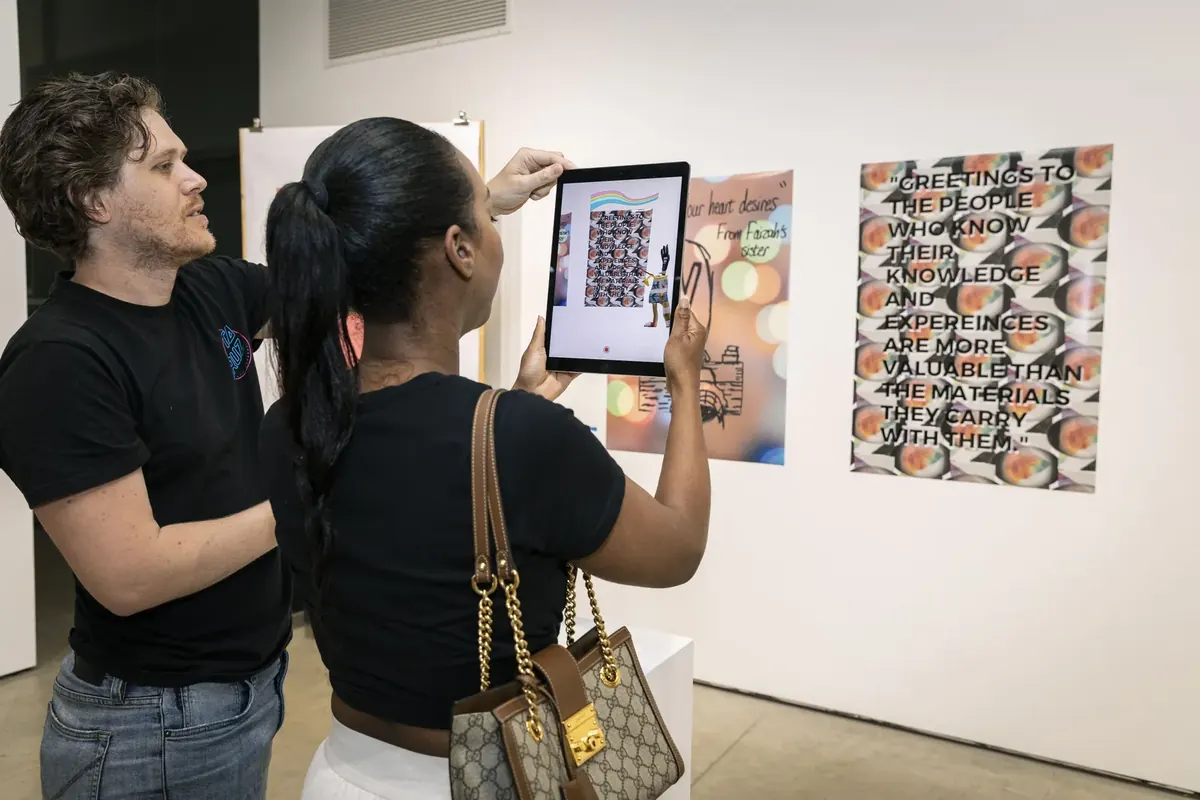
Two visitors scan a student poster with a tablet at a Ricebox Studio exhibition
Scanning posters at a Ricebox Studio event. The studio has run 30+ AR workshops and hackathons with Artivive. Their story
  • How AR actually works

    What AR is and where it fits your projects.

  • The editor, hands-on

    Timeline, sequences, effects and every layer type.

  • Bringing artwork to life

    Video, animation, sound and 3D on any print.

  • Something of their own

    Everyone builds an AR artwork, postcard, calendar or poster.

  • Real-world inspiration

    Case studies and a live demo from museums, schools, brands and events.

  • Tips and good practice

    What works in a full room, and what to test first.

How it works

Your AR lesson in three steps

  1. 1

    Create

    Students upload their artwork to Bridge and add video, animation, sound or 3D. No code.

  2. 2

    Share

    Each piece gets a link or QR code for the poster, wall or handout.

  3. 3

    Scan

    Point the free Artivive app at the artwork and it comes alive. Test on a real phone first.

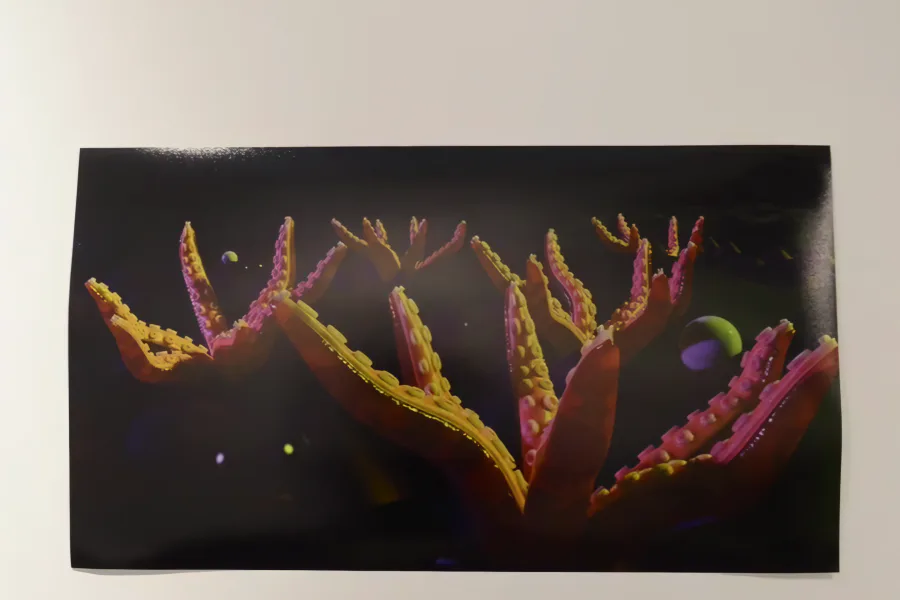
A student's print on a gallery wall: orange and pink coral-like branches on black
Student work at n[ar]ratives, a print with an AR layer modelled in Blender, Arts Students’ Union, University of the Arts London. The show on Stories

Lesson material

From educators

What teaching teams say

Having run 30+ creative-tech workshops through storytelling and activism, Artivive is by far the most accessible and beginner-friendly tool.

Safiya AhmedCo-founder, Ricebox Studio

Students are always amazed when they first see Artivive in action. It gets them excited to design and gives them a real sense of accomplishment.

Anne M. GiangiulioAssociate Professor of Art, UT El Paso

Incorporating Artivive into our teaching lets students explore animation and interactivity in virtual space with a contemporary, reliable toolset.

Alisa PitchenikProfessor of ART+TECH, University of Florida

Questions

Before you buy

Who is the education offer for?

Any university, art school, faculty or educator teaching with Artivive. The education price applies to Pro licences bought as a bundle, whether you buy directly or through our team.

How much does it cost?

Bought directly on the website, 10 Pro accounts for 12 months cost 699 USD, with instant access. A custom solution is 6.90 USD per month per account, for at least 10 accounts over at least 6 months.

What is the minimum purchase?

10 accounts for at least 6 months, at 6.90 USD per month per account, or 699 USD for 10 accounts for 12 months bought on the website. If that does not fit your class, get in touch and we will put together a custom offer for your faculty.

Do students need coding or technical skills?

No. Everything is built in a drag-and-drop editor with image, video and 3D layers. No developers or technical team required.

How do students redeem their licences, and do they need payment details?

No payment details are needed. Each student receives a coupon code and redeems it in Bridge to activate their Pro subscription. How to redeem a code

How do students sign up?

Each student creates their own account with Clever, Google, Facebook or email, then redeems the code. Email sign-ups confirm their address first. About accounts

Start creating augmented reality

10 Pro licences for 699 USD a year, or start with a workshop.

On your own first? Start free with the Basic plan.