How to Redeem the Coupon Code
Redeem an Artivive subscription with a coupon code, including a 100% discount code, in a few simple steps.
Redeeming a subscription with a coupon code
Here are the steps to redeem an Artivive subscription with a coupon code with a 100% discount.
1.Register
If you do not have an Artivive account, please register now.
You can register using Clever, Google, Facebook, or email. Please make sure to activate your account - either log in at least once (Facebook, Google, Clever) or click on the link sent in the confirmation email (email registration).
2.Redeem your subscription with a coupon code
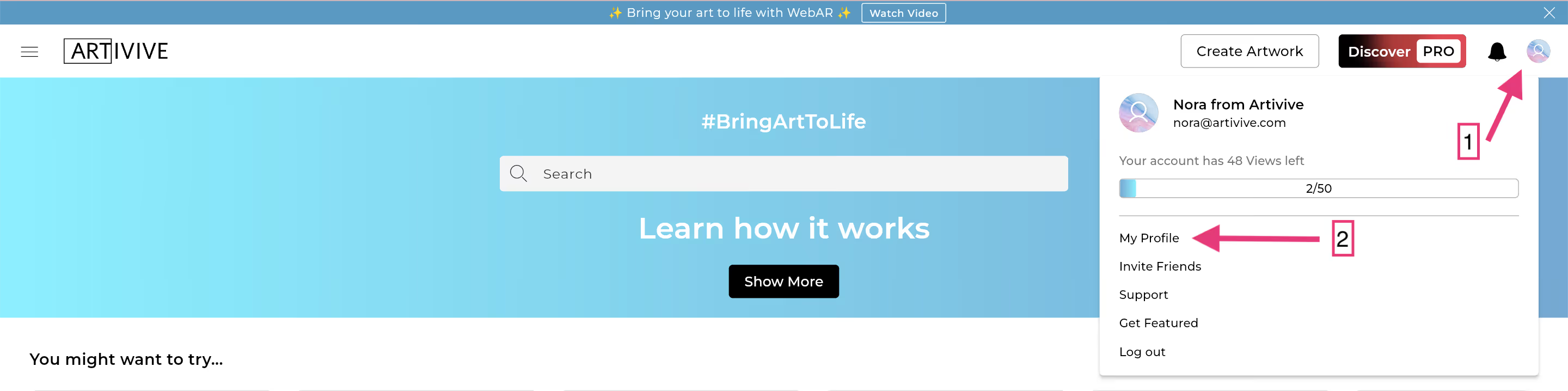
Log in to Bridge and visit your profile:
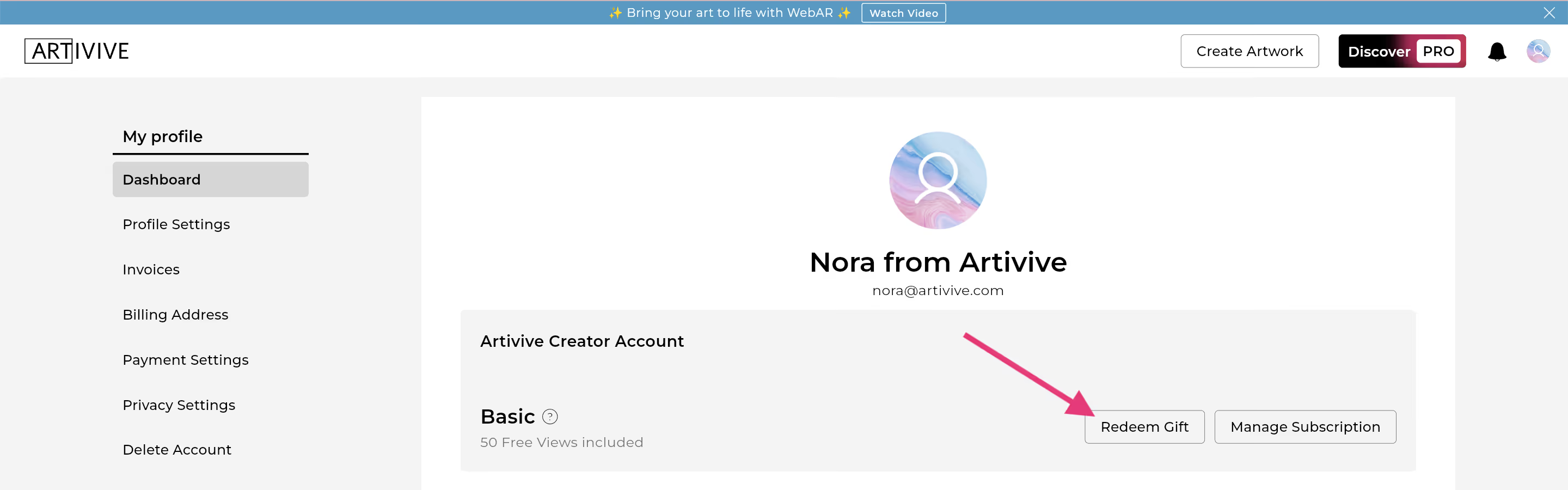
Click on "redeem gift":
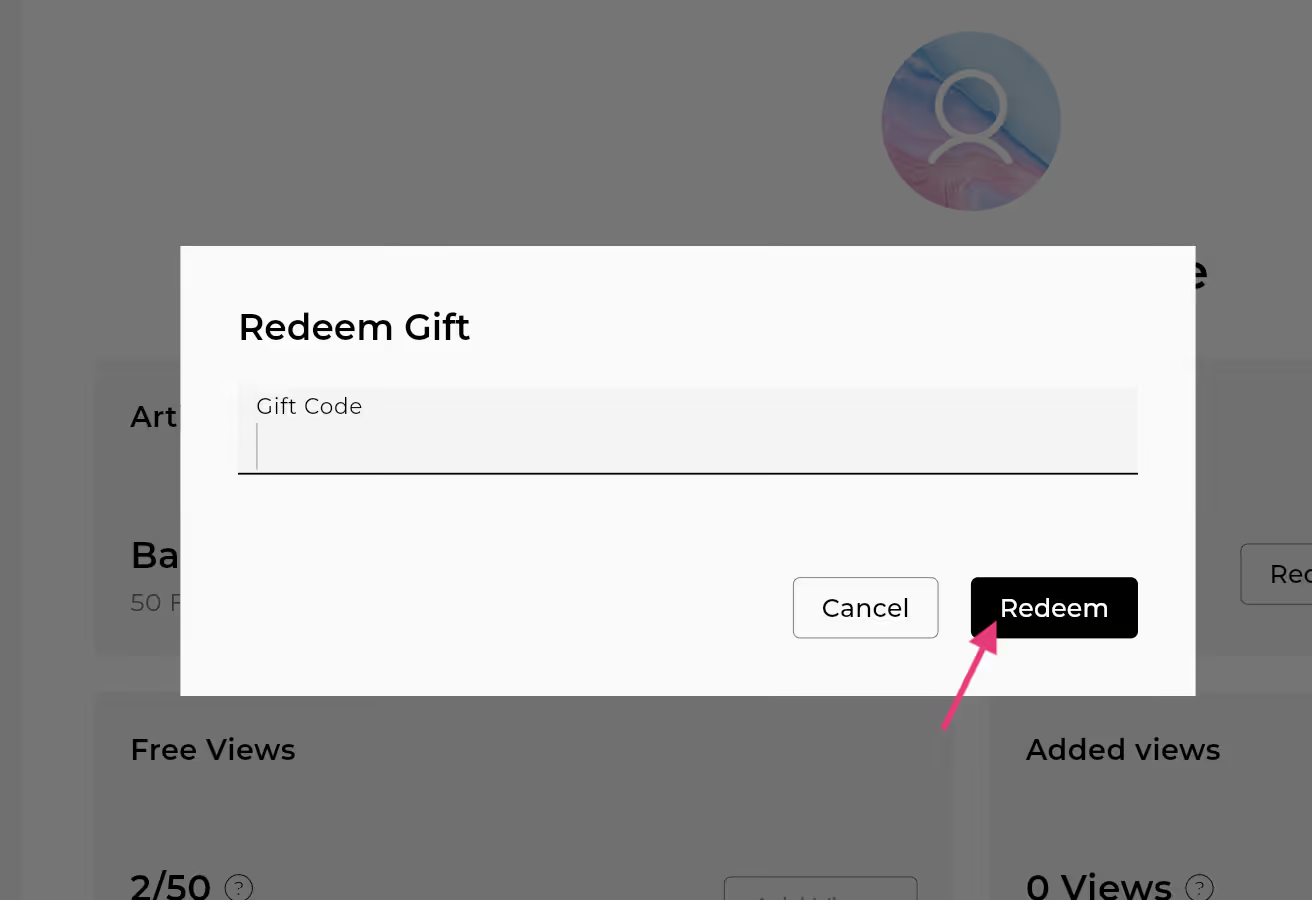
Enter the coupon/gift code you received and click on the redeem button:
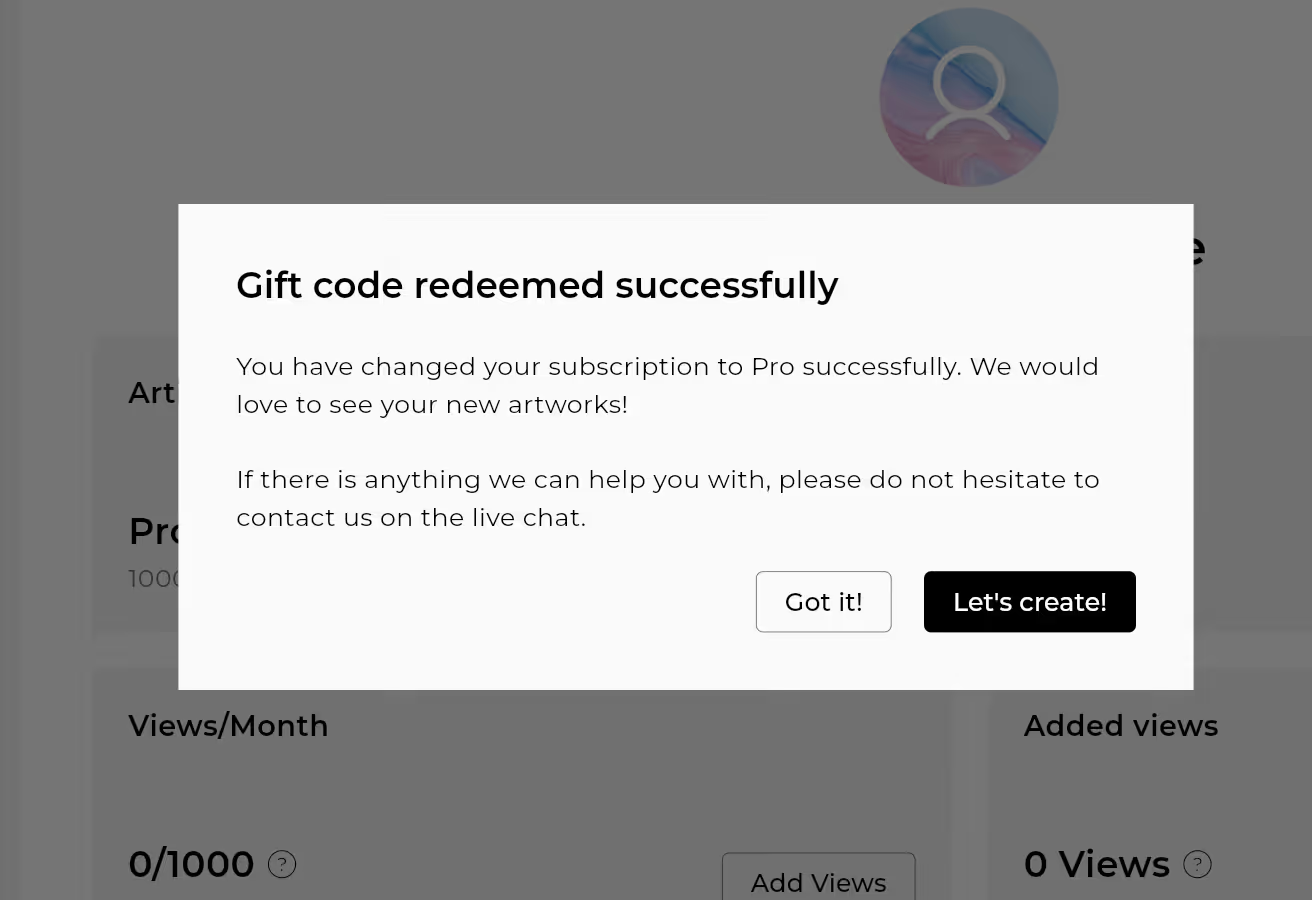
You have successfully redeemed the subscription and can now start creating:
Get started
Here are some tutorials to help you get started:



Start creating augmented reality
Sign up for a free account that will allow you to expand your artworks by adding a digital dimension